Schema

Showing posts with label los angeles website designer. Show all posts

Wednesday, February 4, 2026

Why Organic Marketing Requires 100× More Impressions

Why Organic Marketing Requires 100× More Impressions

Why Organic Marketing Requires 100× More Impressions

Do we really need 100× more posts and impressions without paid marketing?

Short answer: yes — but with an important clarification.

You don't literally need to hit exactly 100×, but when you're not using paid marketing, the math forces you to think in orders of magnitude, not small tweaks.

TL;DR:
  • Organic growth without ads requires dramatically more impressions than most businesses generate
  • The math isn't 2× or 5× more content — it's 100× the exposure
  • Scale comes from posting volume, reach per post, or both combined (10× + 10×)
  • Organic platforms reward consistency and signal density over time, not perfection

Table of Contents


The Brutal Math of Organic-Only Growth

When there's no ad budget, growth works like this:

Traffic = Posts × Reach × Time

If any one of those variables is small, results stall.

What Most Businesses Actually Do

  • 5 posts per month
  • 100 impressions per post
  • = 500 total impressions per month

Even with a great offer and solid service, that level of exposure produces almost nothing. You're invisible in the noise.

For context, a single moderately successful Google Business Profile post might get 500 impressions on its own. One decent blog post optimized for Google Discover could hit 10,000+ impressions in a month. That's the gap most small businesses face.


Why "100×" Is the Right Mental Model

Organic platforms (Google, Instagram, YouTube, Maps) reward scale, velocity, and consistency — not perfection.

You must dramatically increase at least one variable to escape obscurity:

Option A: 100× Impressions Per Post

  • From 100 impressions → 10,000 impressions per post
  • Achievable through Google Discover, viral short-form content, and Maps visibility
  • Requires strong SEO structure, attention-grabbing hooks, and platform-specific optimization

Option B: 100× Posting Volume

  • From 5 posts per month → 500 assets per month
  • Distributed across platforms, formats, and time zones
  • Requires systems, automation, or AI-assisted content creation

Option C: The Realistic Path (10× + 10×)

  • 10× more posts (from 5 to 50 per month)
  • 10× more reach per post (from 100 to 1,000 impressions)
  • = 100× total exposure (from 500 to 50,000 impressions/month)

Most successful organic brands use Option C. They don't try to go viral every time. They publish consistently at scale while optimizing for discoverability.


Why This Matters for Local & Service Businesses

Choosing organic-only growth as a local business or service provider means:

  • No paid traffic safety net — You can't buy your way to visibility when organic efforts lag
  • Lower conversion rates are normal — Cold organic traffic converts at 0.3%–1%, not the 3%–5% you'd see with targeted ads
  • High impressions become mandatory — With 0.5% conversion, you need 10,000 impressions to get 50 clicks and maybe 5 leads

For a plumber, HVAC contractor, or painter in Riverside County competing for local visibility, this means your Google Business Profile posts, blog content, and Maps optimization need to generate thousands of impressions monthly just to stay competitive.

One blog post getting 100 views won't move the needle. Fifty blog posts generating 1,000 views each starts to create momentum.


The Part Most People Quit Before

Organic growth is non-linear.

Here's what the first 8 months of real organic growth looks like for most content-based strategies:

Month 1: 0 impressions
Month 2: 0 impressions
Month 3: 3 impressions
Month 4: 7 impressions
Month 5: 12 impressions
Month 6: 480 impressions
Month 7: 2,100 impressions
Month 8: 9,400 impressions
  

Google does not reward effort — it rewards signal density over time.

This is why most businesses quit organic marketing. They publish 10 blog posts, get zero traction, and assume it doesn't work.

  • 1 great post = nothing happens
  • 30 great posts = still nothing visible
  • 90 posts = early traction starts appearing
  • 150+ posts = real momentum builds

The compounding doesn't start until Google sees consistent topical authority, fresh content signals, and sustained user engagement over months.


What "100×" Looks Like in Practice

Instead of asking:

  • "Why did this post only get 40 views?"
  • "Why isn't my blog ranking yet?"
  • "Should I keep posting if nothing's working?"

Start asking:

  • How can I publish 3× more this month? Can I repurpose one piece of content into a blog, reel, carousel, and email?
  • How can this be optimized for Google Discover? Does it have a strong hook, quality images, and structured data?
  • How do I turn one idea into multiple formats? Can a single case study become a YouTube video, blog post, Instagram carousel, and email sequence?
  • Am I building topical clusters? Do my posts interlink and reinforce each other, or are they standalone islands?

This is how organic traffic compounds without paid ads. You're not chasing viral hits — you're building a content library that generates passive impressions for years.

At Sun City Marketing, we've seen this firsthand with local service businesses. The ones that consistently publish 20-30 pieces of optimized content per month see exponential growth after 6 months. The ones posting 2-3 times per month stay invisible indefinitely.


Frequently Asked Questions

Do I really need 100× more impressions to compete organically?

It's not a literal requirement, but it's the right mindset shift. If you're currently getting 500 impressions per month and want real traction, you need to aim for 50,000+. That could mean more posts, better reach per post, or both. The key is thinking in orders of magnitude, not incremental improvements.

How long does it take to see results from organic marketing?

Organic growth is non-linear. Expect 3-6 months of near-zero results before momentum builds. Google rewards consistent signal density over time, not one-off effort. Most businesses quit before month 6 when compounding actually starts.

Can small businesses actually publish 50+ pieces of content per month?

Yes, with systems and tools. Use AI to generate first drafts, repurpose one piece of content into multiple formats (blog → reel → carousel → email), and batch-create content in focused sessions. It's not about creating 50 entirely unique ideas — it's about distributing one idea across 50 touchpoints.

What's the difference between paid and organic conversion rates?

Paid traffic typically converts at 3-5% because it's highly targeted. Organic traffic converts at 0.3-1% because it's colder and broader. This is why organic marketing requires massively higher impression volumes to generate comparable lead flow.

Should I just use paid ads instead of organic content?

Paid ads work faster, but organic content compounds forever. Ads stop working when you stop paying. Organic content published today can generate traffic for years. The best strategy combines both, but if budget is limited, commit fully to one approach rather than doing both poorly.


The Bottom Line

If you're not paying for traffic, you must:

  • Out-publish competitors — Post more frequently and consistently than anyone in your niche
  • Out-last them — Keep going through the months of zero results when others quit
  • Out-structure them — Use better SEO, schema markup, internal linking, and content organization

100× is not a rule — it's a reality check.

Organic growth only works at scale. Small efforts produce nothing. Massive, sustained efforts compound exponentially over time.


Next Steps: Scale Your Organic Presence

Start Building Your Content Library Today

Use our Free Business Description Generator to create SEO-optimized content in seconds. Generate professional business descriptions and schema markup without technical skills.

Get 3 free uses per email address — perfect for testing and scaling your organic content strategy.

Generate Your Free Content + Schema →

Need help building a sustainable organic marketing system?

Sun City Marketing specializes in WordPress websites, local SEO, and schema markup implementation for service businesses throughout Riverside County. We help contractors, local businesses, and service providers build organic visibility that compounds over time — no ad spend required.

Services include:

  • SEO-optimized WordPress website development
  • Local SEO and Google Business Profile optimization
  • Schema markup implementation for better search visibility
  • Content strategy and blog development

Connect With Sun City Marketing

Email: info@suncitymarketing.org
Phone: (951) 553-3712
Service Area: Riverside County & Southern California

Organic growth requires scale. Consistency creates compounding.

Friday, January 30, 2026

The Frugal Marketer: How to Get Your Foundation on the Internet

The Frugal Marketer: How to Get Your Foundation on the Internet Using Free Assets & Freemiums

The frugal Marketer takes advantage of freemiums and low cost marketing and SEO services


Running a business online doesn’t require a big budget — it requires a strong foundation.

The Frugal Marketer approach focuses on using free tools, free platforms, and high-value freemiums to establish a real online presence before spending money. If the foundation isn’t built first, paid traffic becomes expensive noise.


Table of Contents


1. The Frugal Marketer Mindset

The internet doesn’t reward spending — it rewards consistency, structure, and visibility.

  • Free traffic before paid traffic
  • Indexable assets over ads
  • Long-term signals over short-term boosts

Foundation first. Everything else comes later.


2. NAP Consistency: The First Step

Before content, ads, or social media, you must lock in your NAP:

  • Name
  • Address (or service area)
  • Phone Number

NAP consistency tells search engines your business is real and stable. You’ve already completed 9 NAP listings — that’s exactly how foundations are built.


3. Must-Have Free Business Directories

Directories are not outdated — they are foundational citations.

Core Directories

  • Google Business Profile
  • Bing Places
  • Apple Maps
  • Yelp
  • Facebook Business Page
  • YellowPages
  • MapQuest
  • Foursquare

Secondary Free Directories

  • Hotfrog
  • Brownbook
  • Manta
  • MerchantCircle
  • EZlocal
  • CitySquares
  • Local Chamber of Commerce

4. Website Indexing: Minimum Search Coverage

Your website must be indexed on the major search engines to serve as a foundation.

Minimum required:

  • Google – mandatory
  • Bing – required
  • MSN – automatically covered through Bing
  • Yahoo – automatically covered through Bing

Indexing in Google + Bing gives you near-complete U.S. search coverage without extra effort.

Frugal Marketer rule: If it’s indexed in Google and Bing, your foundation is solid.


4b. Local Business Schema

After setting up your NAP, directories, and website, the next step in building a strong online foundation is Local Business Schema. Schema markup is structured data you add to your website so search engines can understand your business details more clearly.

Using Local Business Schema helps Google and other search engines recognize:

  • Your business name, address, and phone number (NAP)
  • Your business category or type
  • Service areas and cities you serve
  • Hours of operation
  • Links to social profiles and website

Properly implemented schema increases your chances of appearing in:

  • Local packs in Google Search
  • Knowledge panels
  • Rich results and snippets

For a step-by-step guide on implementing Local Business Schema for your website, check out our Schema Markup: The Complete Guide.

Frugal Marketer principle: Structured data is part of your foundation. Build it correctly, and search engines will understand and trust your business.


5. Free Website Assets

You don’t need paid hosting to establish an online footprint.

  • Blogger
  • Google Sites
  • GitHub Pages
  • Medium
  • WordPress.com (free)

These platforms act as brand anchors and trust signals.


6. Content That Builds the Foundation

Content doesn’t need to be perfect — it needs to be useful and clear.

  • Service explanations
  • Local guides
  • Cost breakdowns
  • FAQs
  • Seasonal tips

One solid article does more for your foundation than ten rushed ones.


7. Free SEO Tools That Matter

  • Google Search Console
  • Google Analytics
  • Bing Webmaster Tools
  • PageSpeed Insights
  • Rich Results Test

These tools show how search engines actually see your business.


8. Social Profiles as Trust Signals

Social platforms are indexable assets, not just engagement tools.

  • YouTube
  • Facebook Pages
  • LinkedIn Company Pages
  • Pinterest

9. Freemiums Worth Using

  • Canva (free)
  • Mailchimp (starter)
  • Google Forms
  • Google Sheets
  • Calendly (free)
  • Bitly

Small free tools stacked together create a real system.


10. Free Lead Capture

  • Google Forms
  • Facebook Lead Forms
  • Simple contact pages
  • Email signups

The goal isn’t automation — it’s accessibility.


11. Organic vs Paid: Foundation vs Fire Hose

Organic marketing is long-term foundation building.

Paid advertising is a fire hose of cash — powerful, but easy to waste if the foundation isn’t in place.

If you run ads without:

  • Consistent NAP
  • Verified directories
  • Indexed content
  • Trust signals

You’re paying to send traffic to something search engines don’t fully trust.

Organic compounds. Paid stops the moment you stop paying.

Frugal Marketer Rule: Organic first. Paid later.


12. The Frugal Marketer Foundation Stack

  • Consistent NAP listings
  • Indexable platforms
  • Helpful content
  • Verified profiles
  • Patience and consistency

The Frugal Marketer doesn’t chase growth too early.

Get your foundation right first — everything else builds on top of it.

Monday, January 19, 2026

What Is WordPress and Why Businesses Choose It


What Is WordPress and Why Businesses Choose It

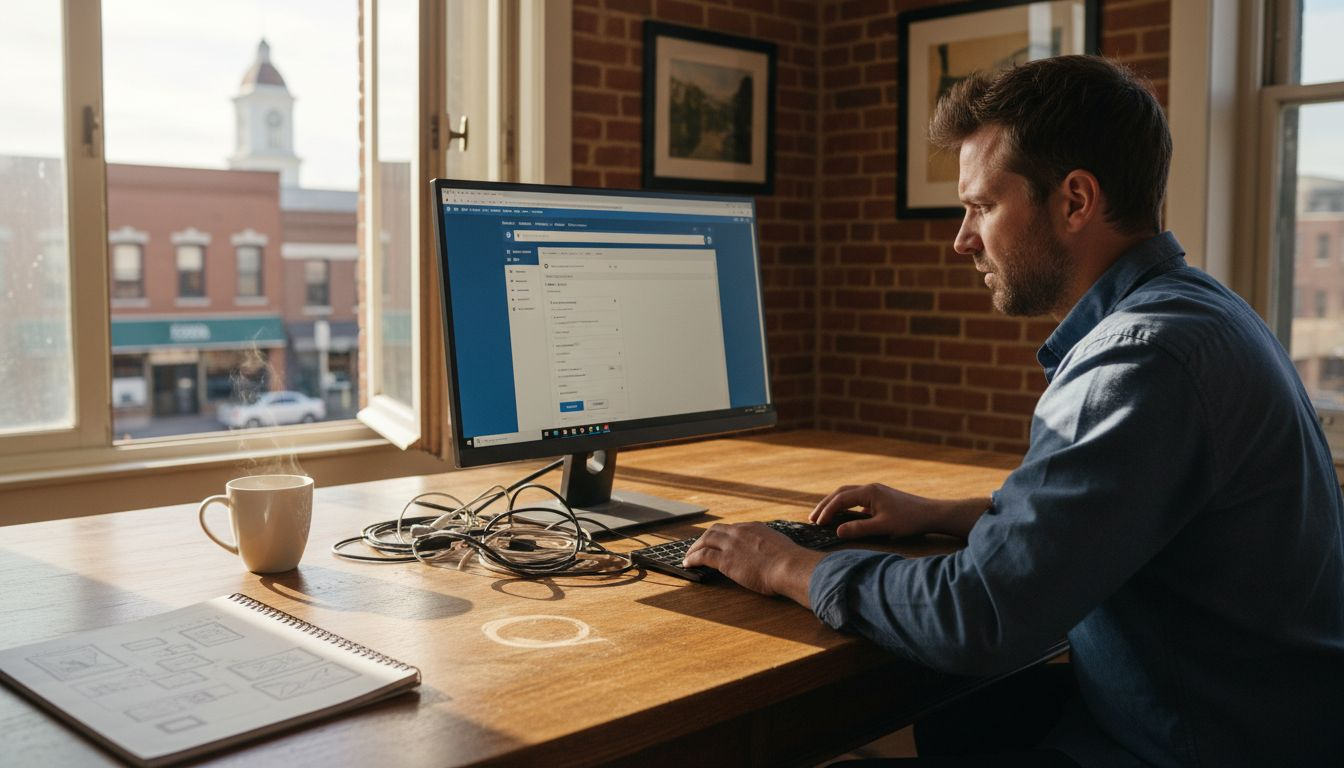
Business owner editing WordPress site at desk

Building a strong online presence can often feel complicated for small business owners in Menifee and Riverside County. With so many options on the market, finding a platform that supports growth without expensive technical hurdles matters for your digital success. WordPress stands out as a flexible, easy-to-manage solution for businesses of all sizes, giving you the professional website tools you need to compete locally and beyond. Powering over 43% of websites worldwide, WordPress provides scalable website options that keep your brand modern, functional, and cost-effective.

Table of Contents

Key Takeaways

PointDetails
WordPress as a Business ToolWordPress has evolved into a versatile platform that empowers businesses to create professional websites without requiring advanced technical skills.
Customization FlexibilityThousands of themes and plugins enable businesses to tailor their website design and functionality to meet specific needs.
Hosting Options ComparisonUnderstanding the differences between WordPress.com and WordPress.org is essential for businesses seeking maximum control over their website.
Maintenance PlanningBusinesses should budget for ongoing maintenance costs, including hosting, security, and professional support to ensure optimal website performance.

 WordPress for Modern Businesses

WordPress has transformed from a simple blogging platform into a powerful website creation tool that empowers businesses of all sizes. Powering over 43% of websites worldwide, this free, open-source Content Management System (CMS) enables entrepreneurs and business owners to build professional websites without advanced technical skills.

As it's foundation, WordPress provides an intuitive interface where users can create, edit, and manage content through a user-friendly dashboard. Businesses can customize their websites using themes and plugins, allowing flexibility in design and functionality. Whether you need a corporate website, online store, portfolio, or blog, WordPress offers scalable solutions that adapt to your specific business requirements.

The platform's ecosystem makes it particularly attractive for small to medium-sized businesses in Menifee and Riverside County. SEO-friendly features and regular security updates ensure that companies can maintain a professional online presence without requiring extensive technical expertise. WordPress supports multiple user roles, allowing team members to contribute and manage content collaboratively while maintaining appropriate access controls.

Pro tip: We use WordPress hosting provider, Hostinger that specializes in small business websites to ensure optimal performance, security, and dedicated support for your digital platform.

Key Features and Customization Options

WordPress offers an extraordinary range of customization capabilities that empower businesses to create unique, professional websites tailored to their specific needs. Thousands of themes and plugins provide businesses with unprecedented design and functionality flexibility, enabling entrepreneurs to craft digital experiences that perfectly represent their brand without requiring advanced coding skills.

Designer reviewing WordPress themes and plugins

The platform's  ecosystem includes multiple customization pathways. Businesses can select from free and premium themes that offer comprehensive layout options, color schemes, typography choices, and responsive design features. Plugins extend website functionality dramatically, allowing users to add complex features like e-commerce platforms, booking systems, contact forms, performance optimization tools, and advanced security protocols with just a few clicks.

Pro tip: Always review and test WordPress plugins from reputable sources, focusing on compatibility, update frequency, and user ratings to ensure optimal website performance and security.

Essential Costs and Maintenance Considerations

WordPress website management involves ongoing financial and technical investments that businesses must carefully plan and budget. WordPress maintenance encompasses multiple cost factors, including hosting fees, domain registration, security monitoring, plugin updates, and potential professional support services. Small to medium-sized businesses should anticipate these recurring expenses as part of their digital infrastructure strategy.

Typical WordPress maintenance costs can be broken down into several key categories. Hosting expenses range from $5 to $50 monthly depending on website complexity, while domain registration typically costs $10 to $20 annually. Security and backup solutions might add $10 to $30 monthly, with professional maintenance packages potentially reaching $50 to $200 per month for comprehensive services. Website maintenance requirements vary significantly based on business needs, traffic volume, and desired level of technical support and performance optimization.

For businesses in Menifee and Riverside County, strategic maintenance planning is crucial. This includes regular software updates, plugin compatibility checks, security scanning, performance optimization, and periodic content refreshes. While some maintenance tasks can be handled internally, many businesses benefit from professional WordPress maintenance services that provide proactive monitoring, rapid issue resolution, and strategic technical guidance to prevent potential website disruptions or security vulnerabilities.

Pro tip: Budget approximately 10-15% of your initial website development costs for annual maintenance, and consider quarterly professional website audits to ensure optimal performance and security.

Common Mistakes When Using WordPress

WordPress offers powerful website creation tools, but many businesses unknowingly compromise their online presence through common technical missteps. Common WordPress mistakes can significantly impact performance, ranging from security vulnerabilities to poor user experience. Understanding these potential pitfalls is crucial for maintaining a professional and effective website that represents your business effectively.

Security and performance represent two critical areas where businesses frequently make preventable errors. Many WordPress users neglect essential maintenance tasks like regular software updates, leaving their websites vulnerable to security breaches. Overloading websites with unnecessary plugins, failing to optimize images, and ignoring basic SEO practices can dramatically slow down site performance and reduce search engine visibility. 

MistakePotential ImpactRecommended Prevention
Skipping UpdatesIncreased vulnerability to hackingEnable automatic updates
Using Too Many PluginsSlower site and errorsLimit to essential, tested plugins
Not Optimizing ImagesPoor load speed, low SEO rankingUse image compression tools
Ignoring BackupsRisk of data lossSet regular backup schedules

Pro tip: Schedule monthly WordPress maintenance checks and use reputable security plugins to automatically scan for vulnerabilities and performance issues.

Empower Your Business with Expert WordPress Solutions from Sun City Marketing

Understanding the power of WordPress is just the first step to building a strong online presence. Many businesses in Menifee and Riverside County face challenges like choosing the right hosting, managing ongoing maintenance, and avoiding common WordPress mistakes that can hurt performance and security. If you want to transform your website into a professional, scalable platform with full control and customization, you need expert guidance tailored to your business goals.

https://suncitymarketing.org

At Sun City Marketing, we specialize in helping small to medium-sized enterprises navigate every aspect of WordPress website creation and digital marketing. From streamlined domain registration and hosting to custom template design and Google indexing, our affordable packages are designed to get your business noticed quickly and securely. Don’t let technical hurdles slow your growth. Visit our site today and discover how our WordPress expertise and comprehensive marketing services can elevate your digital presence now.

Ready to build a website that works as hard as you do? Let’s get started at Sun City Marketing.

Frequently Asked Questions

What is WordPress?

WordPress is a free, open-source Content Management System (CMS) that allows users to create, edit, and manage websites without advanced technical skills. It powers over 43% of websites worldwide and offers a user-friendly dashboard for easy content management.

Why should businesses choose WordPress for their websites?

Businesses should choose WordPress for its flexibility, customization options, and SEO-friendly features. It allows for the creation of diverse website types, from corporate sites to e-commerce platforms, with thousands of themes and plugins available to enhance functionality.